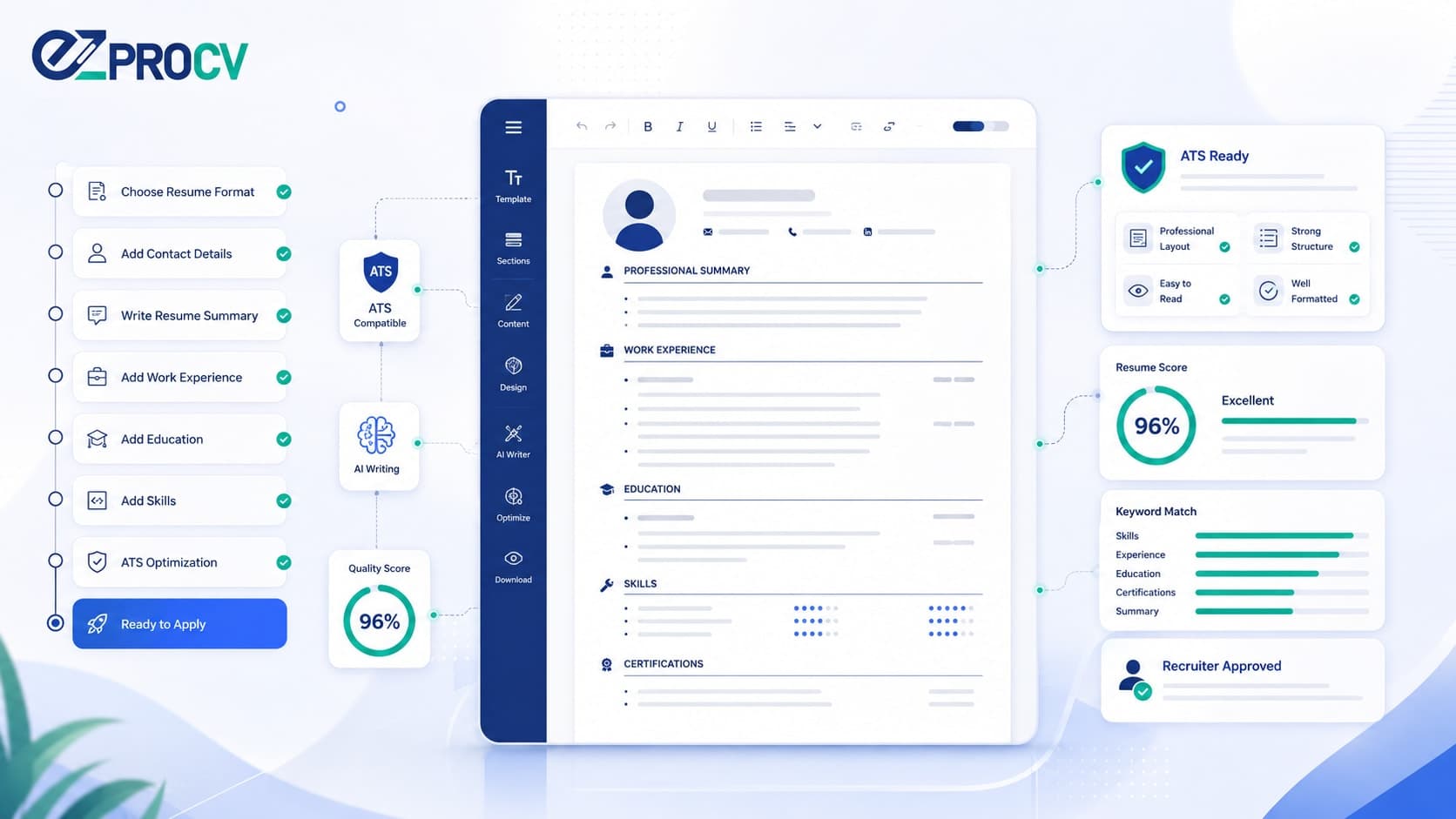
How to Write a Resume in 2026: Step-by-Step Guide for Job Seekers
Writing a resume from scratch feels overwhelming when you don't know what recruiters actually want. The good news: a strong resume isn't about design or clever wording. It comes down to clarity, structure, and relevance. This step-by-step guide walks you through how to write a resume in 2026 that gets past ATS software and holds a recruiter's attention.
Follow the eight steps below in order. By the end, you'll have a clean, ATS-ready resume tailored to the job you want — not a generic document you send everywhere and hope.
Featured snippet target: To write a resume step by step: choose a chronological format, add clear contact details, write a 2–4 sentence summary, list work experience with achievement-led bullet points, add education and a skills section, format it for ATS readability, and tailor it to each job description. Save as a PDF unless the employer requests a Word file. (55 words)
First: Understand Who Reads Your Resume
Before you write a word, know that your first reader is usually software. Most companies use an Applicant Tracking System (ATS) — such as Workday, Taleo, or Greenhouse — to sort applications before a recruiter sees them.
If your resume uses unusual fonts, tables, or columns the ATS can't parse, your information may get scrambled or missed. That's why ATS-friendly structure is the foundation for every step that follows.
Step 1: Choose the Right Resume Format
There are three main formats. Pick the one that fits your situation:
Chronological — Lists work experience newest first. Best for a steady work history in one field.
Functional — Focuses on skills over job titles. Sometimes used for career changers or those with gaps, though many recruiters distrust it because it hides dates.
Combination — Blends a skills summary with a full experience history. Works for mid-career professionals switching industries.
For most job seekers in 2026, chronological is the safest choice. It's what recruiters expect and what ATS software handles most reliably.
💡 Tip: If you're switching industries and worried a functional format looks evasive, use a combination format instead — lead with a short skills summary, then keep your dated experience intact. You get the reframing without the red flag.
Step 2: Set Up Your Contact Information
At the top of your resume, include:
Full name (larger font, easy to spot)
Professional email address — not a nickname from 2009
Phone number with country code
LinkedIn profile URL
City and country (no full street address needed)
Portfolio or GitHub link, if relevant to your field
Keep it clean and scannable. Recruiters move fast on a first pass, so your name and contact details need to be findable in a glance. [VERIFY: the commonly cited "6–7 second scan" figure — confirm and link a real source before stating it as fact, or leave it as a general statement.]
Step 3: Write a Strong Resume Summary
A resume summary is a 2–4 sentence snapshot telling recruiters who you are, what you do, and the value you bring. It sits right under your name and is the first thing they read — so it has to land immediately.
Weak: "Experienced professional looking for new opportunities to grow and contribute."
Strong: "Marketing Manager with 6 years driving B2B demand generation. Skilled in SEO, paid media, and cross-functional leadership. Delivered a 40% increase in qualified pipeline in my last role."
The strong version is specific, measurable, and instantly relevant. The weak one could describe anyone.
Step 4: List Your Work Experience Correctly
This is the core of your resume. For each role, include:
Job title
Company name
Location (city/country or remote)
Dates of employment (Month Year – Month Year)
3–5 bullet points covering key achievements and responsibilities
The rule that matters most: lead with achievements, not duties. Recruiters don't want a job description — they want your impact.
Use the formula Action verb + task + measurable result:
"Reduced customer onboarding time by 30% through a redesigned email sequence."
"Led a team of 8 engineers to ship a core feature two weeks ahead of schedule."
"Grew social media engagement by 55% in six months via a content calendar overhaul."
No exact numbers? Use honest relative indicators — "doubled," "consistently exceeded targets," "significantly reduced." Never invent figures.
Step 5: Add Your Education Section
List degrees in reverse chronological order. Include:
Degree and field of study
Institution name
Graduation year (or expected)
GPA — only if it's strong (3.5+) and you're a recent graduate
Relevant coursework or honors, if you're early in your career
With 5+ years of experience, keep this section short — degree and institution are enough. For recent graduates, it can sit higher and carry more detail.
Step 6: Include a Skills Section
A dedicated skills section helps ATS software match you to the role. Focus on hard skills:
Software and tools (Excel, Salesforce, Figma, Python)
Technical competencies (data analysis, UX research, content strategy)
Certifications (PMP, AWS, CPA)
Skip vague soft skills like "great communicator" here. Prove those in your experience bullets with context, not as a standalone list.
Step 7: Format for Readability and ATS Compatibility
Good formatting isn't just about looking professional — it's about surviving the parse. Follow these rules:
Use a standard font: Arial, Calibri, or Georgia
Body text 10–12pt
Margins 0.5–1 inch
Avoid text boxes, header/footer content, and graphics an ATS can't read
Save as a PDF unless the employer asks for a Word file
EZProCV's templates are built for exactly this — pre-formatted to ATS standards, with a PDF export that matches the editor precisely. No broken layouts, no shifting margins between what you see and what you submit.
Step 8: Tailor Your Resume for Each Job
One resume does not fit all jobs. Before applying, scan the posting for the key skills, tools, and phrases the employer uses — then mirror that language naturally.
If the posting says "cross-functional collaboration," use that phrase rather than "working with other teams." An ATS is a keyword-matching engine. Give it the terms it's searching for, without stuffing.
Final Checklist Before You Submit
No spelling or grammar errors
Contact information correct and current
Experience in reverse chronological order
Bullet points lead with action verbs and show results
Saved as a PDF (unless the posting says otherwise)
Tailored to the specific job
Length appropriate — one page under 5 years' experience, up to two pages for senior roles
Frequently Asked Questions
How do I write a resume with no experience?
Lead with education, projects, internships, volunteer work, and transferable skills. Use a summary that states your target role and strengths, and quantify results from any setting — academic, freelance, or extracurricular. A clean chronological or combination format works best for early-career applicants.
What is the best resume format in 2026?
For most job seekers, the reverse-chronological format is safest. It lists your newest role first, meets recruiter expectations, and parses reliably in ATS software. Career changers may prefer a combination format that leads with skills but keeps dated experience intact.
How long should a resume be?
One page for under five years of experience; up to two pages for senior or highly technical roles. Prioritize relevance over length — cut older or unrelated roles rather than padding to fill space.
Should I use a resume summary or an objective?
Use a summary. A summary highlights the value and results you bring, which is what recruiters want. Objective statements focus on what you want from the job and read as dated for most applicants in 2026.
How do I make my resume ATS-friendly?
Use standard section headers, a readable font, and simple structure without tables or graphics that scramble parsing. Match keywords to the job description, keep contact details in the body rather than the header, and export a text-based PDF you can copy and paste cleanly.
Start With a Template Built to Pass Both Tests
Writing a resume is a skill, and the right foundation makes it far easier. Instead of fighting formatting in a word processor, start with a template structured for ATS readability and built to look sharp to a recruiter.
EZProCV's resume templates give you clean section headers, correct text order, stable pagination, and a PDF export that matches your editor exactly — so you can focus on your content, not on whether your layout will survive the upload.
A strong resume comes down to clarity, structure, and relevance. Follow these eight steps, tailor it to each job, and let your results speak. That's how you write a resume in 2026 that reaches the people who make the decision.
